Uncategorized

arnold on May 02, 2026
Welcome to your digital marketing master resource page. Throughout this semester, we moved from absolute zero to building, tracking, and optimizing a complete digital presence.
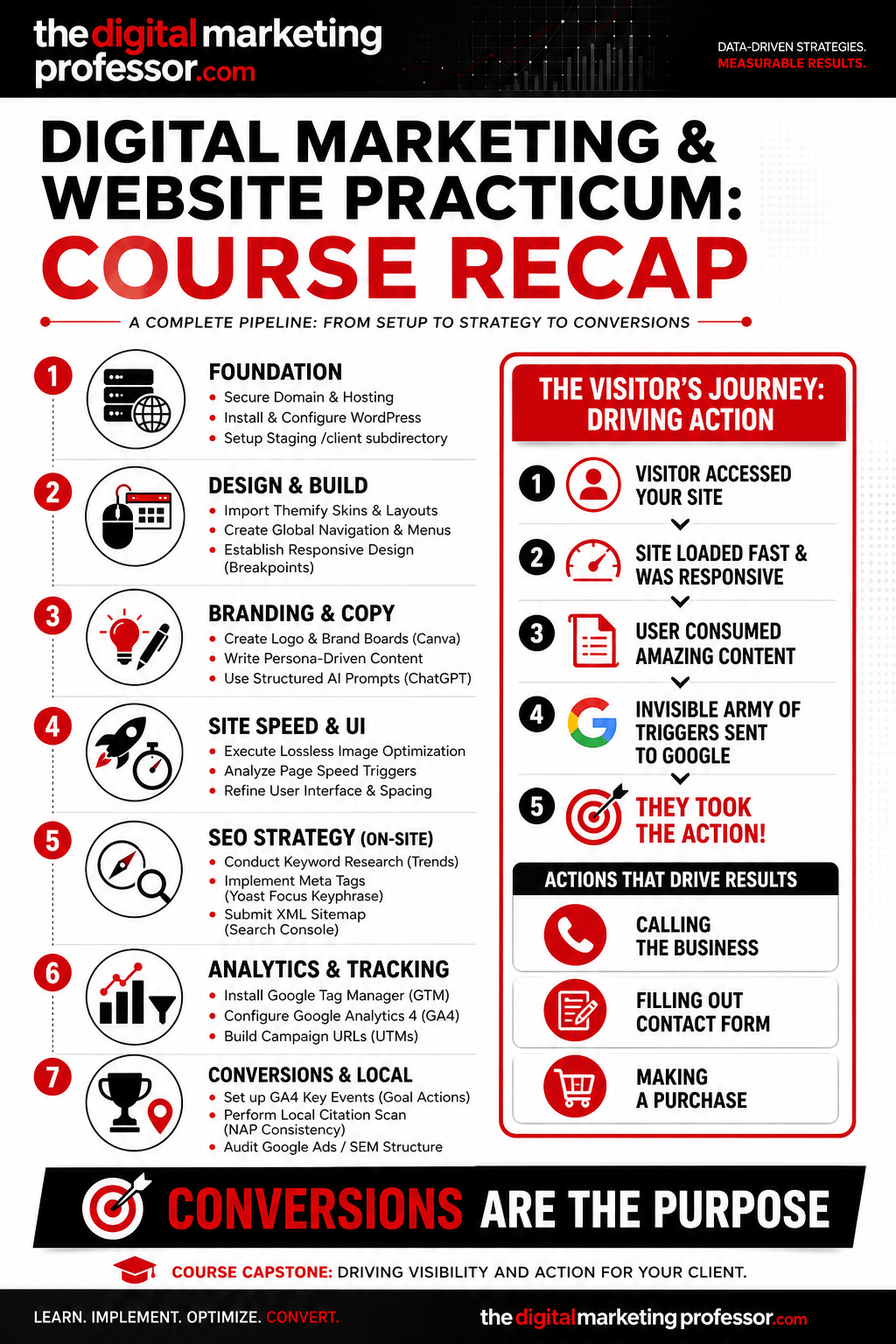
If there is one thing you take away from this course, remember this: Conversions are the purpose. We don’t build websites just to have them sit there. We build them so that a visitor takes a specific action—whether that’s calling the business, filling out a contact form, or making a purchase on an e-commerce site. Everything we did, from image optimization to advanced SEO, was designed to drive that final action.
Below is the complete step-by-step breakdown of everything we covered in the practicum. Bookmark this page so you can easily reference these guides for your future clients, employers, or personal projects.
Phase 1: The Technical Foundation
Before we could design anything, we needed server space and a digital address.
In week one, we established our digital footprint. Your first step was to Get URL from Namecheap. Once we had our domains and hosting secured, we didn’t just install WordPress recklessly. We learned how to protect our live environments by setting up staging areas, and you followed the guide to install WordPress in a subdirectory (like your /client folders).
From there, we laid out the visual architecture by learning how to install Themify into a new website, giving us a powerful drag-and-drop framework to build our campaigns.
Phase 2: Branding, Copywriting, and Design
With the foundation set, we moved into user experience (UX) and branding. A fast site is a converting site, which is why we spent time losslessly compressing our hero images through tools like TinyPNG to ensure rapid load times.
To establish brand identity, we utilized Canva templates and AI generation to design 500x500px transparent logos. But a pretty site means nothing without a compelling message. We used advanced, structured ChatGPT prompts to generate persona-driven copywriting. Instead of generic text, we acted as creative directors, commanding the AI to write content that directly addressed our target audience’s pain points.
During this phase, we also structured our global navigation, stripped out default Themify elements (like search forms and default footers), and learned how to fix common Themify menu formatting mistakes to ensure a clean user interface.
Phase 3: Mobile Optimization & Accessory Pages
Because the majority of web traffic is mobile, a site that breaks on a phone is a site that loses conversions.
We built out our accessory pages (About Us, Services, Contact) while strictly managing our layouts. We learned the importance of responsive design by deactivating cache plugins, setting our breakpoints (1024px, 768px, and 680px), and pushing multi-column rows into “Full Width” displays so our content stacked perfectly on mobile devices.
Phase 4: Tracking the Funnel (Analytics)
Once the sites were built, we needed to know exactly how users were interacting with them.
You created dedicated Google accounts and followed the technical walkthrough to set up Google Tag Manager and install Google Analytics 4. We then connected our data pipeline by learning how to install Google Search Console.
Because our entire goal is getting a user to take an action, we didn’t stop at basic traffic tracking. We set up Events and Key Events (Conversions) in GA4 to track exactly when users landed on our /contact pages. To ensure we knew where our traffic was coming from, we learned how to accurately tag our links by identifying proper Sources and Mediums to use the Google Analytics Campaign URL Builder.
Phase 5: Search Engine Optimization (SEO)
To get users to convert, they have to find us first. My philosophy on this is simple:
“Good SEO starts with amazing content. If you have content that people love then you will have an invisible army of people sending triggers to Google about what a great site you have. Besides content, you need a responsive website that loads fast and this starts with good hosting and optimized images. You need very descriptive meta tags and an XML sitemap so that Google knows where your content is and what your content is. You also need an effective keyword strategy that naturally incorporates your keywords into the correct areas of your website. You also need to monitor and improve your pages with SEO tools.”
We put this into practice by using Google Trends to conduct proper keyword research. We then took those keywords and learned how to do basic on-site search engine optimization using the Yoast plugin to write rich SEO titles and meta descriptions, finally submitting our XML sitemaps directly to Google.
To build site authority, we ventured off-site. We used AI to brainstorm out-of-the-box strategies to build authority and trust with link building, establishing backlinks to signal credibility to the search engines.
Phase 6: Local Search & Google Ads (SEM)
We rounded out the semester by looking beyond organic search. We learned how to understand local search marketing by running local citation scans through Yext and Moz Local. We identified inconsistencies in NAP (Name, Address, Phone Number) data to ensure our clients show up accurately in Google Maps and local packs. Finally, we introduced Search Engine Marketing (SEM) and the Google Ads infrastructure to understand how paid placements drive immediate, targeted traffic.
The Final Takeaway
You now have the tools to launch a digital asset, optimize it for search engines, track every click, and drive measurable business results. Take these guides, use them in the real world, and never forget that a beautiful website is only as good as the conversions it generates.