
Uncategorized

arnold on Jan 27, 2026
Introduction
The Rundown AI is one of the most useful AI newsletters I’ve found for staying current without drowning in hype or fluff. It sends short, skimmable daily updates that cover real AI tools, product launches, workflow ideas, and practical use cases that you can actually apply to school, work, and creative projects. It also surfaces new tools early, explains what they do in plain language, and links out to demos or examples so you can explore further when something is relevant to what you’re working on.
I assign The Rundown AI to my students because it builds baseline AI literacy fast. After a few weeks of reading it, most students start recognizing tool categories, understanding what’s realistic versus vaporware, and getting ideas for how to use AI in marketing, content creation, analytics, automation, and design.
The signup process is not hard, but it is slightly confusing the first time because there are extra screens, optional offers, and a delayed confirmation email that makes people think it didn’t work. This guide walks through every step so you know exactly what to click, what to ignore, and what to expect.
One important caveat up front: after you enter your email, The Rundown does not always send the confirmation email immediately. It can take anywhere from a few minutes to a few hours. That delay is normal. Do not re-enter your email over and over thinking it failed. Just wait and watch your inbox (and spam folder).
Step-by-step: How to sign up for The Rundown AI
Step 1: Go to the Rundown AI signup page
Open your browser and go to The Rundown AI website. You’ll see a headline that says “Learn AI in 5 minutes a day” and a large email entry box.
Use this link sign up for The Rundown: www.therundown.ai/subscribe
Step 2: Enter your email address
Type your email into the “Enter your email” field and click the “Join for free” button. This submits your signup request.
Step 3: Ignore the extra newsletter offers
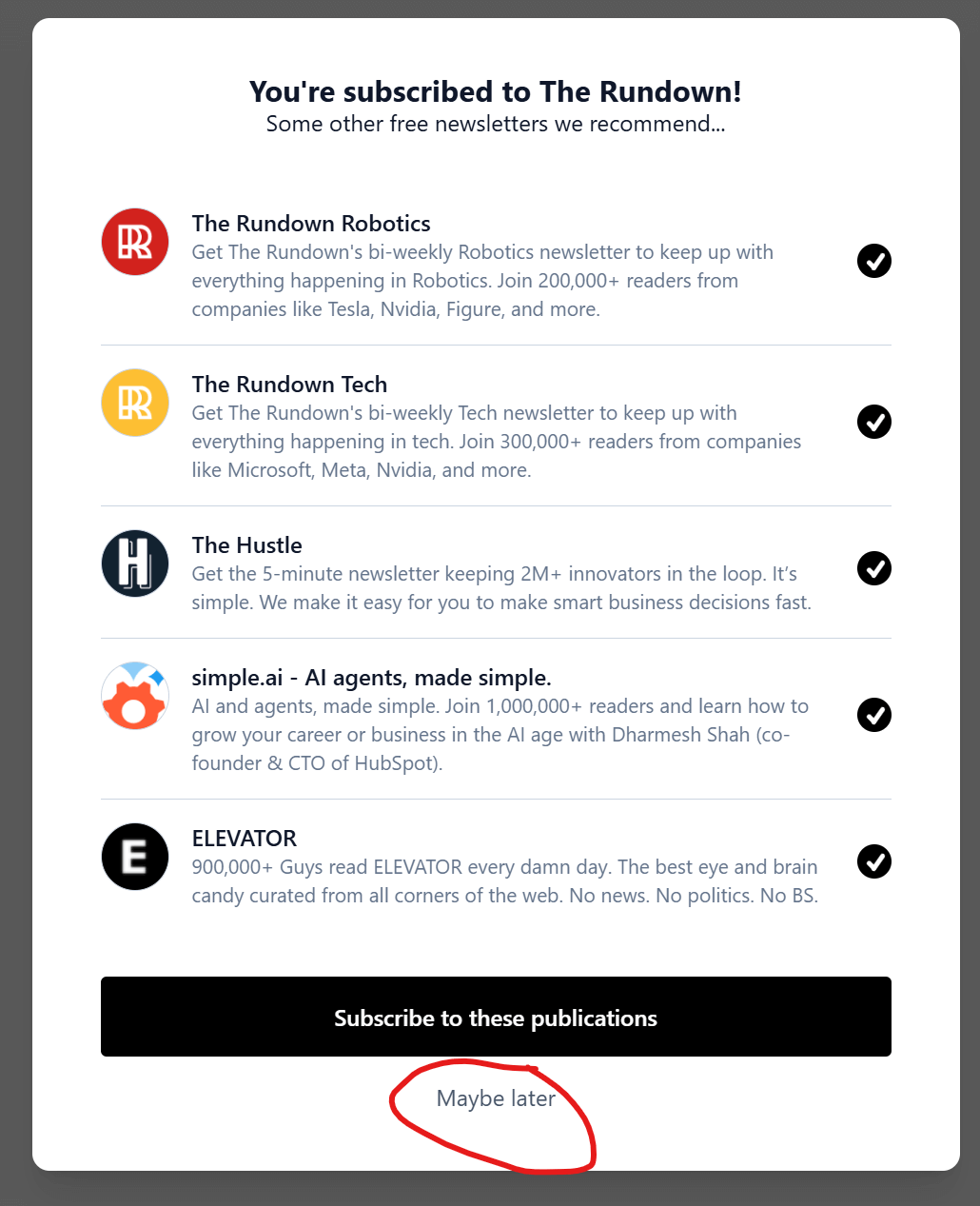
After you submit your email, you’ll see a screen that says “You’re subscribed to The Rundown!” followed by a list of other newsletters (Robotics, Tech, The Hustle, etc.). These are optional cross-promotions.
Click “Maybe later” at the bottom of the screen. You do not need to subscribe to any of the additional publications to get The Rundown AI.
Step 4: Enter your name
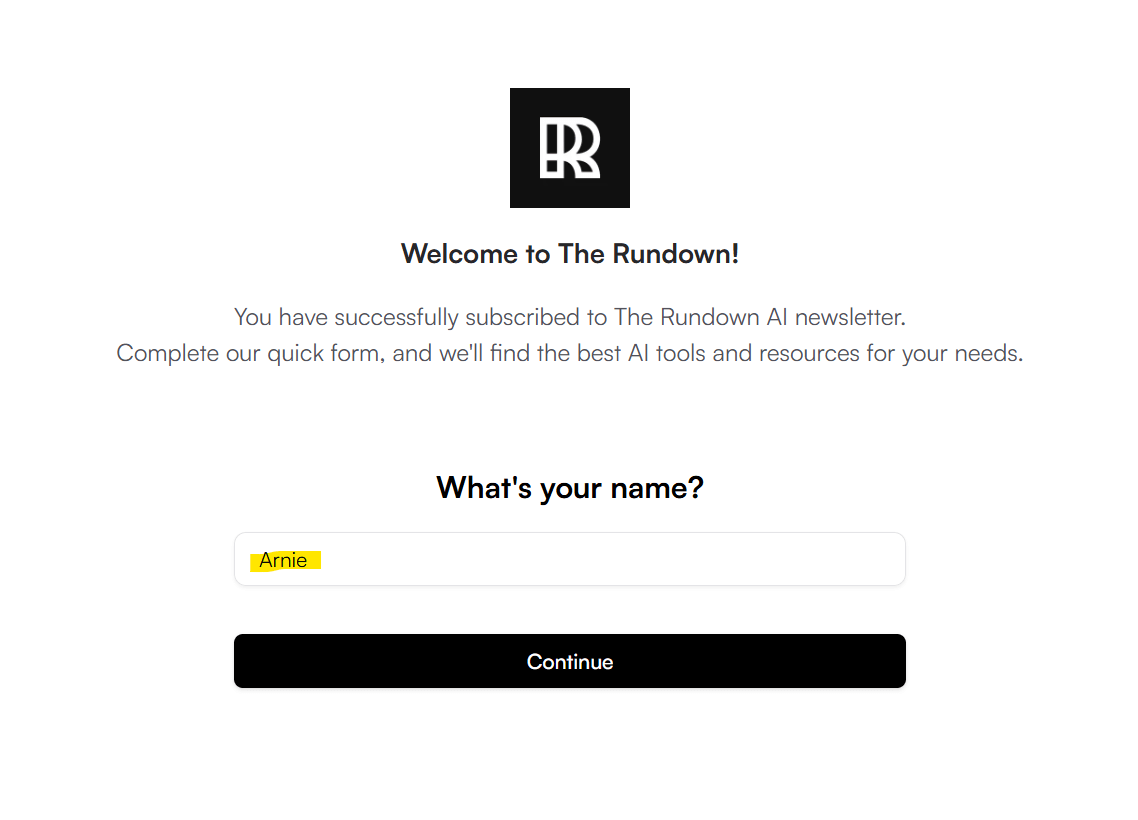
You’ll be taken to a welcome screen that says “Welcome to The Rundown!” and asks “What’s your name?” Enter your first name and click “Continue.”
Step 5: Answer the AI tools question (or just select what applies)
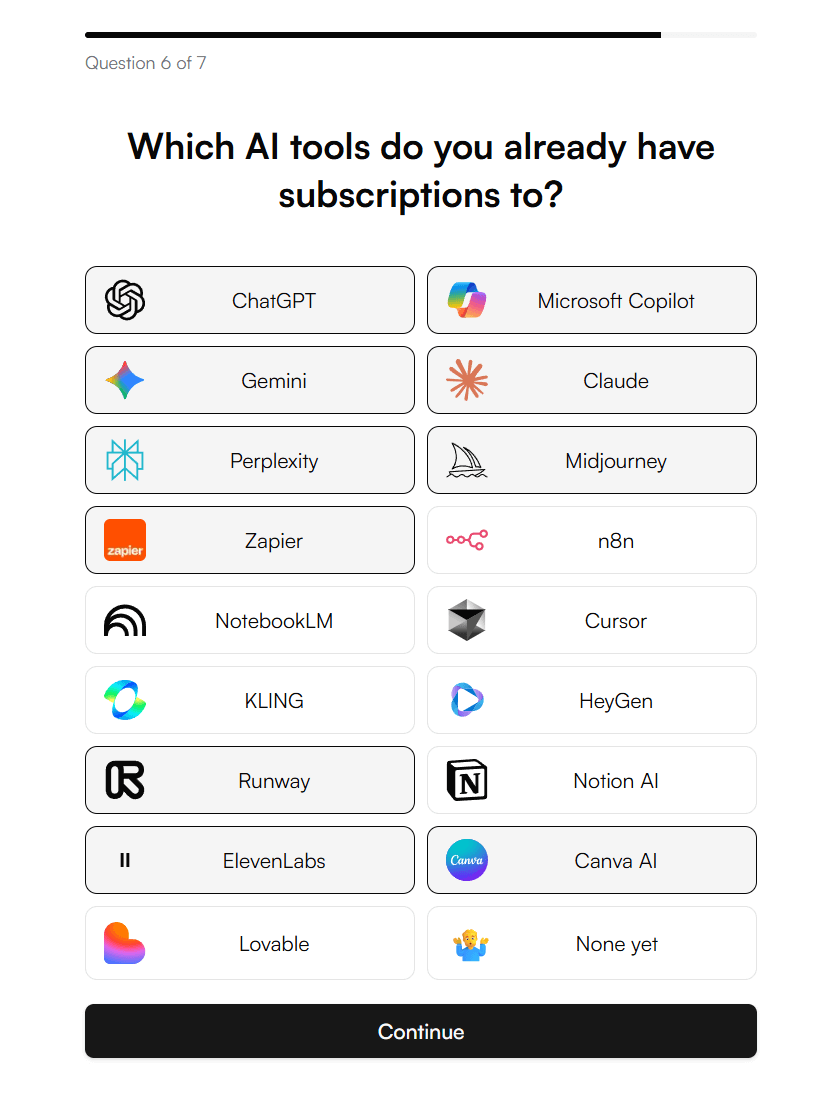
Next, you’ll see a screen that asks which AI tools you already have subscriptions to. This includes options like ChatGPT, Copilot, Gemini, Claude, Zapier, Notion AI, Canva AI, and others.
Select anything that applies to you. If none apply, choose “None yet.” Then click “Continue.”
This step just personalizes recommendations later. It does not affect your subscription.
Step 6: Skip the learning plan upsell
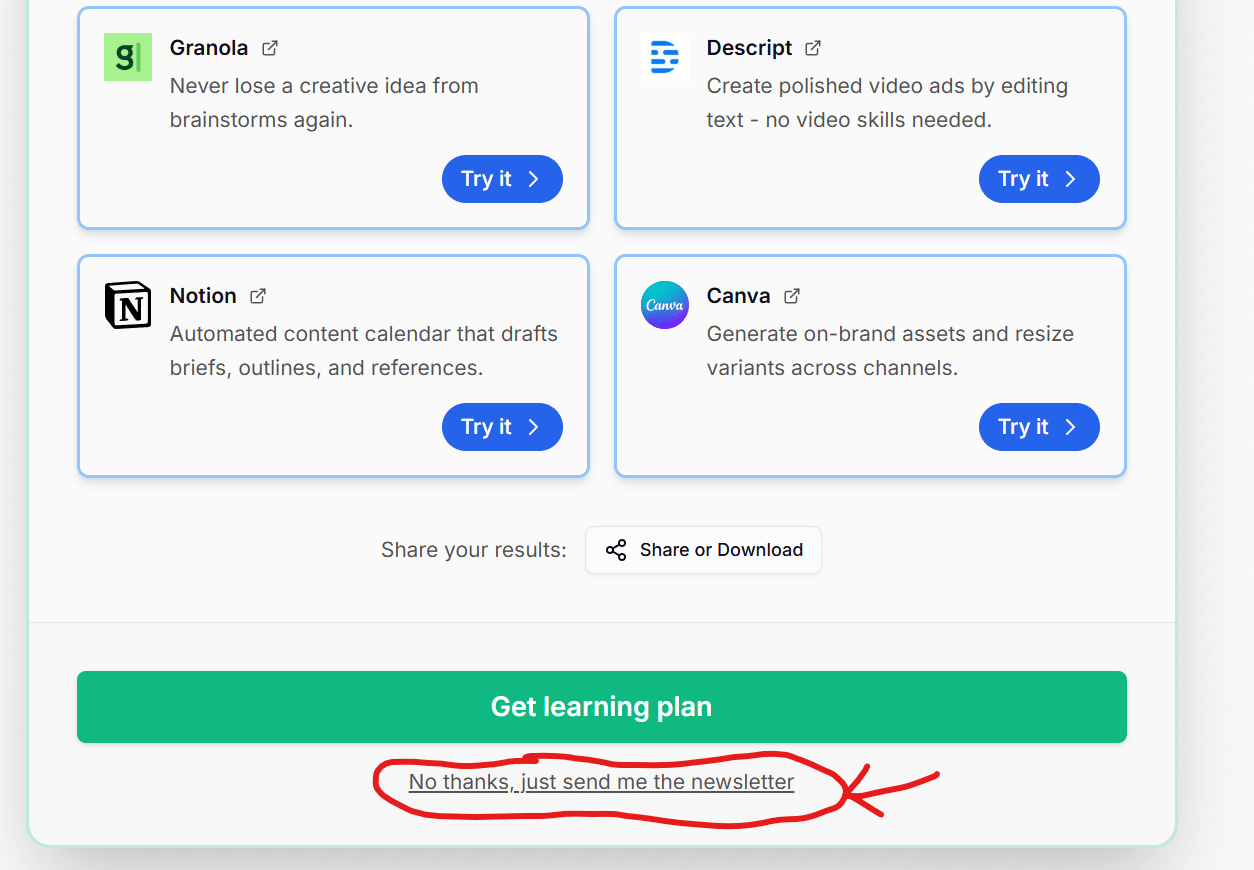
You’ll then see a results screen with suggested tools and a big green button that says “Get learning plan.” Under that button is a small text link that says “No thanks, just send me the newsletter.”
Click “No thanks, just send me the newsletter.” You do not need the learning plan to receive The Rundown AI emails.

Step 7: Wait for the confirmation email
At this point, your signup is almost done, but you are not fully subscribed yet. The Rundown AI will send you a confirmation email that says something like “Confirm your The Rundown AI subscription.”
Important: this email is often delayed. It can take a few minutes or a few hours to arrive. This is normal.
Check your spam or promotions folder if you don’t see it in your main inbox.
Do not re-sign up while waiting. That just creates duplicate records and slows things down.
Step 8: Click the confirmation button
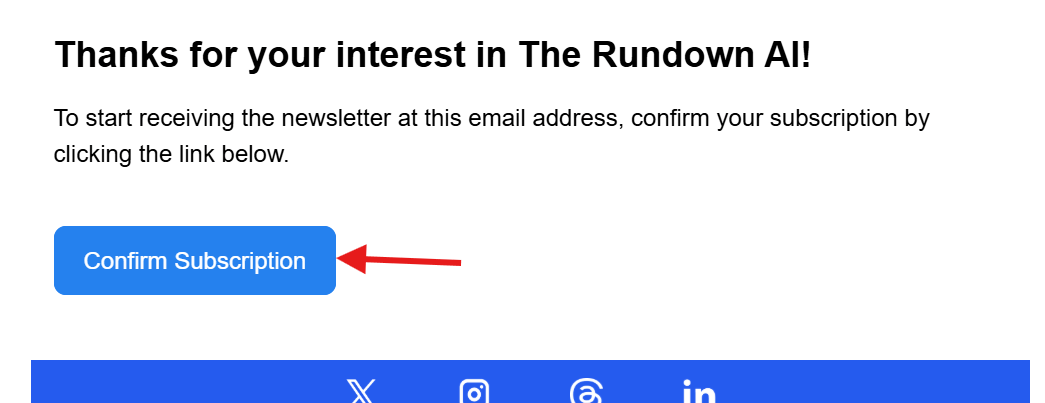
When the email arrives, open it and click the blue “Confirm Subscription” button inside the message.
Once you click that button, your subscription is officially active.
What to do if you don’t get the email
If you don’t receive the confirmation email after a few hours:
• Check your spam folder
• Search your inbox for “The Rundown AI”
• Make sure you typed your email correctly during signup
• Wait at least a few hours before trying again
• If needed, re-enter your email once and repeat the process
What happens next
After confirming your subscription, you’ll start receiving The Rundown AI emails in your inbox. They typically arrive daily and take about 3–5 minutes to read. You can unsubscribe at any time, but I recommend giving it at least a couple of weeks so you can see how useful it becomes once patterns and tool categories start clicking.
This is the exact process I expect students to follow. If you complete all the steps above and click the confirmation link in the email, you are fully subscribed—even if the confirmation email takes longer than expected to show up.