Uncategorized

arnold on Feb 08, 2026
How to Publish Your AI-Written Article on Medium (Step-by-Step)
At this point, you’ve written an article using AI as part of the content creation process. Writing the content is only one step. The next step is learning how to publish that content on a real platform, where it can live on the internet, be shared, and be referenced professionally.
In this class, we’re not setting up personal blogs or full websites, so instead we’re going to use Medium as our publishing platform. Medium allows anyone to publish articles publicly without needing to manage hosting, design, or technical setup. You focus on the writing and structure, and Medium handles the rest.
What Is Medium?
Medium is an online publishing platform designed for long-form writing. People use it to publish articles, essays, tutorials, opinion pieces, and thought leadership content. Articles on Medium are public by default, indexed by search engines, and easy to share. Many professionals use Medium as a way to demonstrate expertise, build credibility, and showcase their thinking.
Because Medium has strong domain authority, articles published there can show up in Google search results, especially for informational or educational topics. This makes it a useful platform if you want your writing to be discoverable beyond just sharing a link.
How Medium Compares to Substack
Another popular publishing platform is Substack. Substack is primarily designed around newsletters and subscriptions. Writers publish posts that are sent directly to subscribers, and over time they can build a dedicated audience.
Medium and Substack can both host written content, but they serve slightly different purposes:
- Medium is better for public discovery and one-off articles
- Substack is better for ongoing publishing and audience ownership
For this assignment, Medium is the better fit because it’s simple, public, and does not require building a subscriber list.
Why Content Creators Use Platforms Like Medium
Many content creators, marketers, and professionals publish written content online as part of a broader strategy. Platforms like Medium make it easy to publish quickly, share ideas publicly, and demonstrate expertise in a topic area.
Medium can also be used as a starting point for content-driven strategies like affiliate marketing. If you want to write articles that include affiliate links or product recommendations, Medium allows you to publish content without first building a website. This makes it useful if you want to test ideas, topics, or writing styles.
That said, Medium is not a replacement for owning your own website. Long-term, the strongest strategy is typically having your own site with many articles focused on one topic, where you control the structure, internal links, and monetization. Medium works well as an entry point or supplemental channel, especially early on.
Instructions: Publishing Your Article on Medium
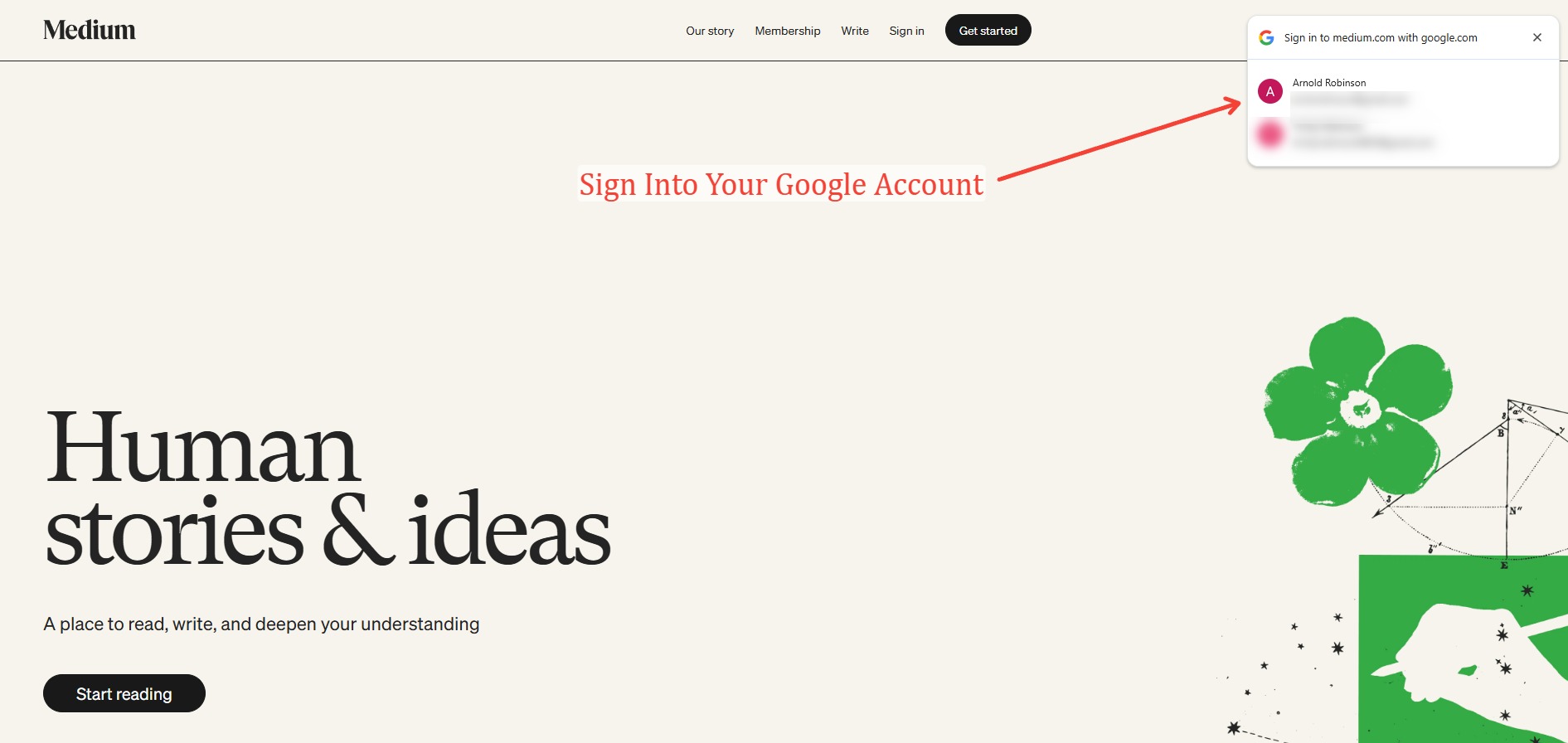
Step 1: Go to Medium and Sign In
- Go to Medium.com.
- Sign in using your Gmail account (or another email address you prefer).
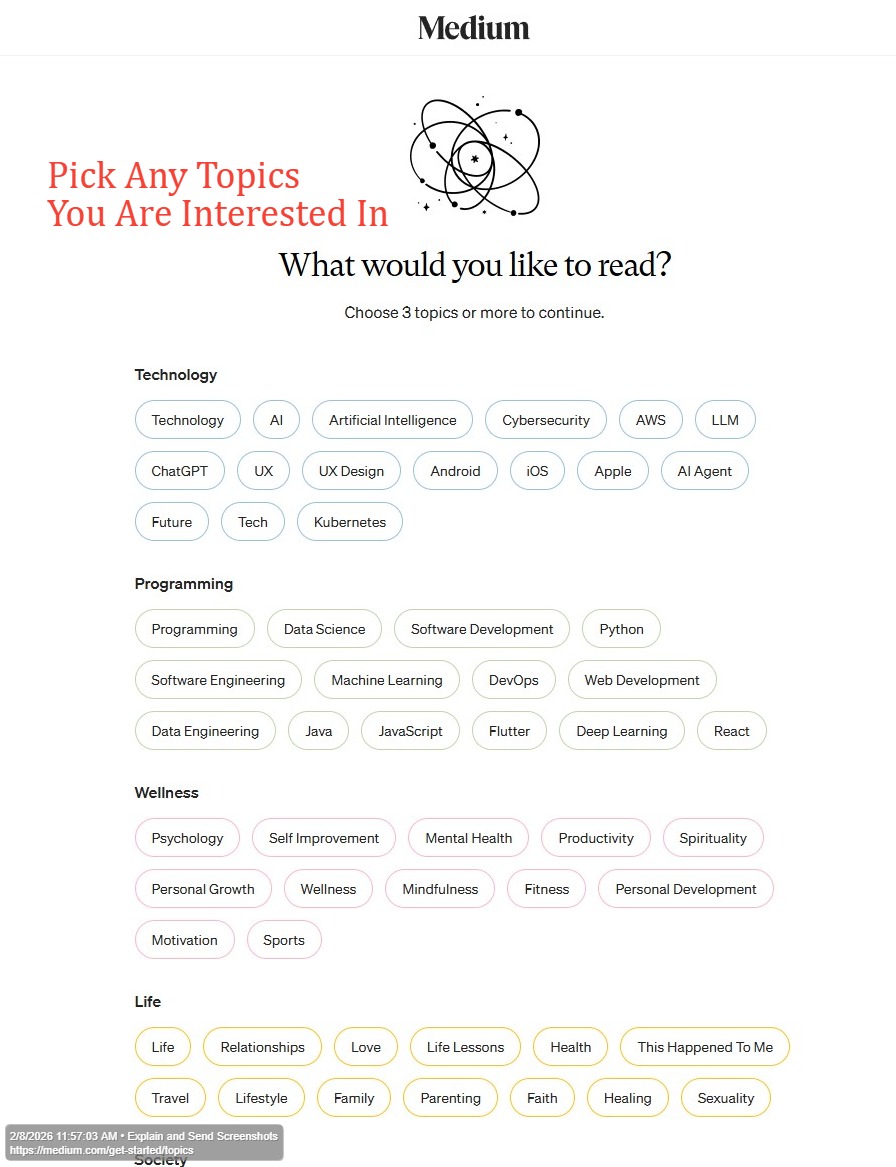
Step 2: Select Your Topics and Interests
- Medium may ask you to choose topics you’re interested in.
- Select a few that match what you typically want to read or write about.
- Continue to the next step.
Step 3: Continue With the Free Account Option
- Choose the option to continue with a free account.
- This is all you need for publishing your article.

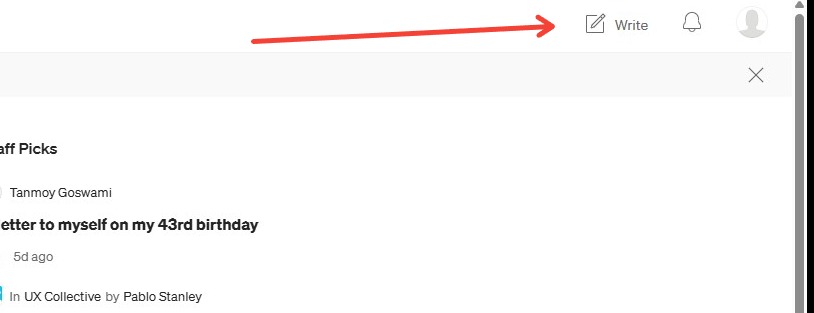
Step 4: Start a New Article
- Once you’re logged in, click Write (or Write a story) in the top-right corner.
- In the editor, enter your title and paste/type the text of your article.
- Format your article using section titles, subtitles, clean spacing, and bold text where appropriate so it is easy to skim.
Step 5: Press Enter to Create a New Line and Reveal the Plus Button
- Click in the article body where you want your image to appear.
- Press Enter to create a new line.
- On the left side of the new line, you should see the plus (+) icon.
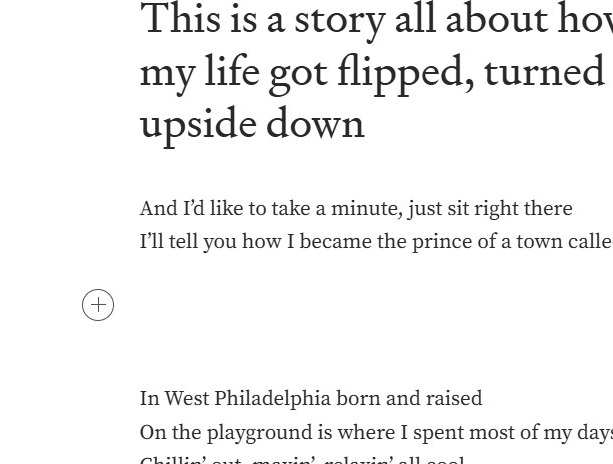
Step 6: Click the Image Icon
- Click the plus (+) icon.
- Select the image option from the menu.

Step 7: Insert Your Image (Generated With Gemini)
- Generate a relevant image using Gemini that supports your article (not just decorative).
- Upload that image into Medium.
- If you don’t know how to generate an image in Gemini, use ChatGPT to figure out how to do it and then complete the step.

Step 8: Click Publish
- Once your article is complete, formatted, and includes your image, click Publish.
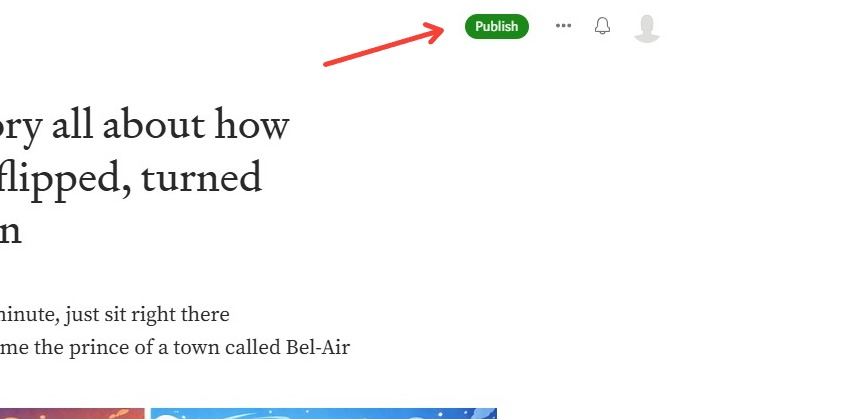
Step 9: Fill Out the Publish Options, Select Topics, and Publish Now
- Choose a preview image for your article (you can keep the default or change it).
- Select relevant topics based on what your article is about.
- Click Publish now.

Step 10: Copy the Link and Submit It
- After the article publishes, copy the URL of your published Medium article.
- Submit that link for your assignment.
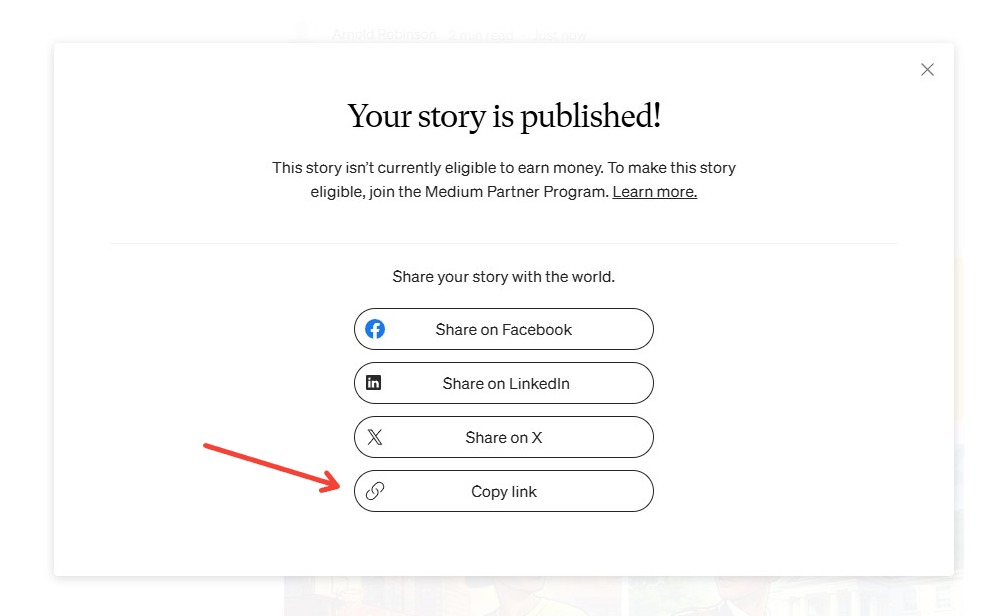
Quick Checklist Before You Submit
- Your article has a clear title and clean paragraph spacing
- You used subtitles/headings to organize the article
- You bolded key phrases where it improves readability
- You included at least one useful image (generated with Gemini)
- You published the article and selected relevant topics
- You copied and submitted the correct Medium link