
STUDENTS

arnold on Feb 04, 2026
Part 1: Pick A Name For Your Channel
- Use your real name or a variation of it. Adding something like “the real” in front of your name can make it unique.
- Incorporate your interests or niche. For example, if you love baking you could be “Sarah’s Cakes” or “The Baking Geek”.
- Make up a clever phrase or word combination related to you or your content. Some examples are “CraftyTiffany” or “SoccerDude1234”.
- Use alliteration. Alliterate your first or last name with a descriptive word, like “CreativeCarla” or “MelissaMakes”.
- Borrow from pop culture. Combine a favorite TV show, movie, or character with your name or interests. Like “DrWhoMegan” or “StarWarsSam”.
- The key is to stand out while remaining consistent with your brand. Brainstorm meaningful words and combinations.
- Check availability too – you may have to get creative with spelling!
Part 2: Write An Account Bio For Your Creator Accounts
Just write the first line of your BIO that lets people know what your account is about.
- Comedian & New York Times Bestselling Author
- Sutton’s Roofing. Got a leak? Call us up, we’ll do sutton about it.
- Workout vids, dog pics, motivational quotes served over a bed of sarcasm.
Part 3: Pick A Color Scheme and Font For Your Creator Accounts
Once you have a name for your channel you need to come up with your branding and color scheme which will stay consistent throughout this project.
For example, check out the profile grid of Brock Johnson:
Brock Johnson Instagram Account

You can see that he has a color scheme and certain fonts that he likes to use. He doesn’t use the fonts and colors in every post but he uses it enough so that you can get a sense of his branding when visiting his account.
Part 4: Put together a branding board for your channel.
Search Canva for any of the following:
- Brand Style Guide – Typically includes logos, colors, fonts, and tone of voice.
- Brand Identity Board – Focuses on visual identity.
- Content Style Guide – Emphasizing how content looks and feels.
- Social Media Branding Guide – Tailored for social, covering logos and palettes.
- Brand Kit – A concise version of a style guide.
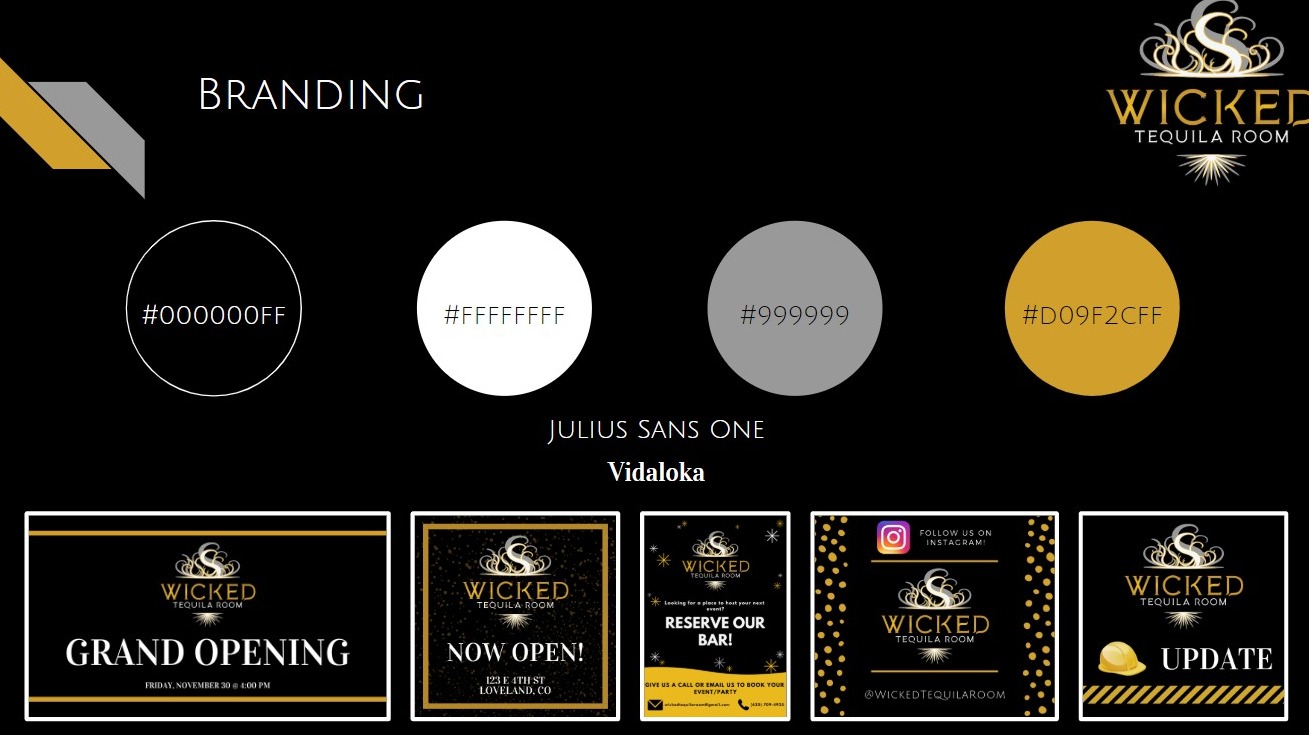
Check out the Wicked Tequila Room page (run by a former student): Facebook Page
Here is the color scheme they set up ahead of time:
Here is another branding board a student put together for Noco Party Bus:
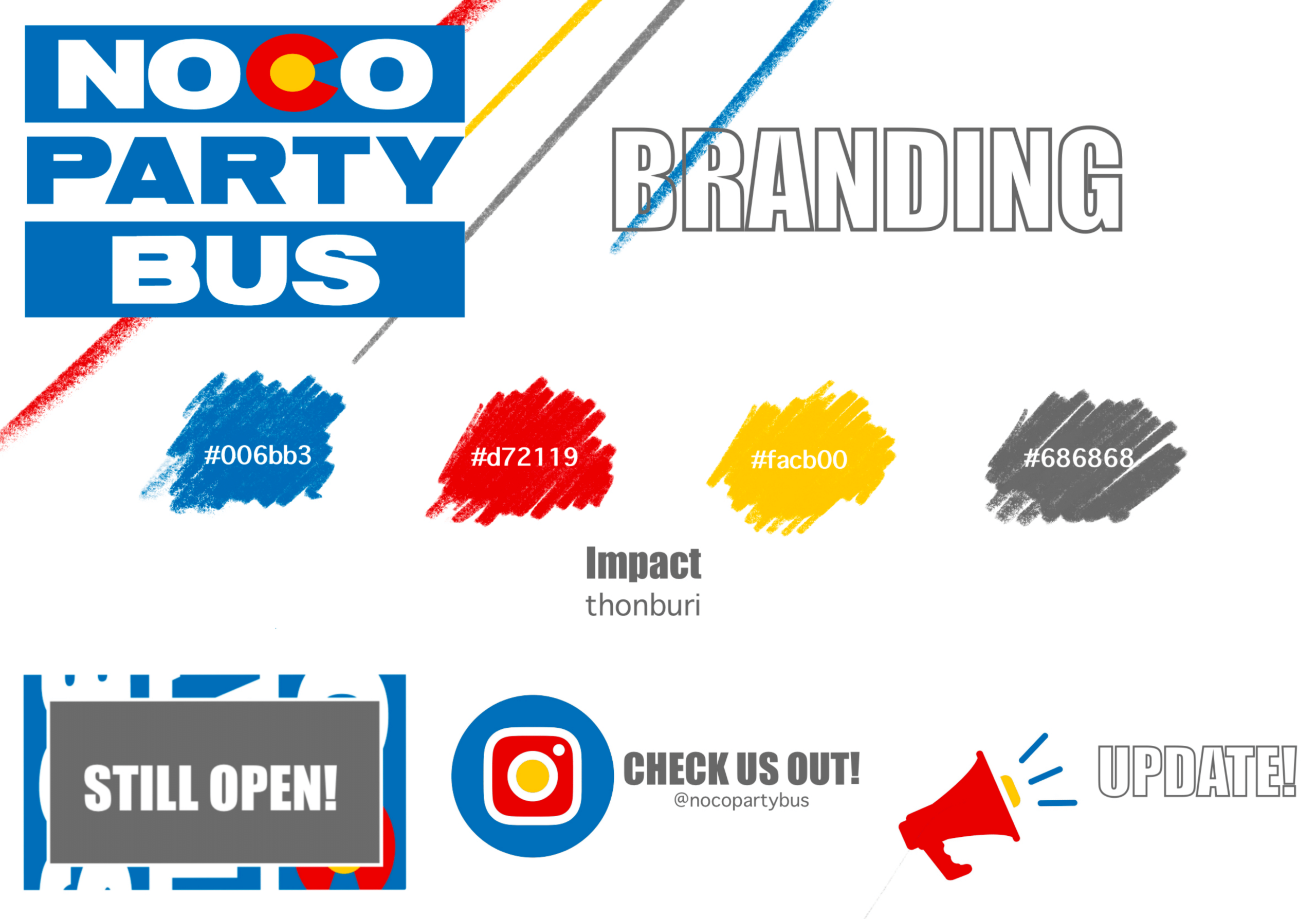
For this assignment, create a similar graphic. It must include:
- Three or four colors with color codes (HEX codes)
- A heading font and paragraph font
- The name of your channel
- Three simple sample posts at the bottom:
- “Five Cooking Tips”
- “Best Foco Coffee”
- “5 Weekly Tips”
Tools to help you:
- Eye Dropper For Chrome: Use this to pick out color codes from a web page.
- Just Creative: Visuals for 15 font combinations.
- Fontpair.co: Browse Google Font combinations.
- Reliable PSD: High-end visual font pairings.
- WhatFont: Chrome tool to identify fonts on any page.
- Brand Style Guides On Canva
AI Prompts to try:
- I need to come up with a creative name for an instagram channel that is about pizza. Ask me 5 questions, one at a time, to get to know my channel.
- Write a tagline for my Instagram channel about pizza.
- Write an alliteration tagline for my Instagram channel about pizza.
- Write a rhyme tagline for my Instagram channel about pizza.
- Rewrite this tagline to sound more (professional, casual, humorous, etc.): [Insert Tagline]